 VEYLO
VEYLOChin
Genioplasty: see chin advancement in millimetres on your own face
Move the chin forward or back in half-millimetre steps on a 3D scan of your own face, and compare a sliding genioplasty with an implant or filler on the same scan. Then discuss it with a surgeon.
Free · No account needed · iPhone with Face ID


A visualization, not a prediction.
What is a genioplasty?
A sliding genioplasty is a surgical procedure in which the chin bone is cut and moved — forward, back, up or down — and fixed in its new position. Because the bone itself moves, it is different from adding an implant or filler on top of it.
Whether it is an option, and how far the chin would move, is decided by a maxillofacial or plastic surgeon after an examination and imaging.
In Veylo you set the movement in millimetres. Only the chin changes, and the same settings always give the same image.
One sample face, original and genioplasty.


Sample face
Area
Treatment
Amount
Chin forward approx.
+9.0 mm
Genioplasty · 9 mm forward
Typical in published studies: 6.2–11.7 mm
Rendered by the Veylo face engine on AI-generated sample faces — not patients. Millimetres are approximate, on Veylo’s visualization scale. A visualization, not a prediction.
Amounts in real units, with the ranges studies observed.
Move the slider to see how Veylo sets this treatment. The shaded band is what published studies observed — context, never a recommendation.
Seen in studies: 6.2–11.7 mm total
Outside the range seen in published studies. Talk to your clinician about what is appropriate for you.
Approx. change on Veylo’s visualization scale
Source: Systematic review of sliding genioplasty, Journal of Cranio-Maxillofacial Surgery. The range of study averages (overall mean 8.2 mm), not of individual patients. Moving the chin back or vertically has no verified range.
Slider in the app: -6–12 mm, in steps of 0.5
Ranges show what published studies observed. They are not a recommendation; your clinician decides what is appropriate.
What Veylo shows
- Chin advancement or setback in mm, on your own scan
- Genioplasty next to an implant or filler, on the same face
- Approximate millimetres of chin forward
- A private link you can show the surgeon, if you want
What only a clinician can tell you
- Whether a genioplasty is an option for you
- How far, and in which direction, the chin could move
- Surgical risks, recovery and possible complications
- How your soft tissue is likely to follow the bone
How it works, in 3 steps.
- 1
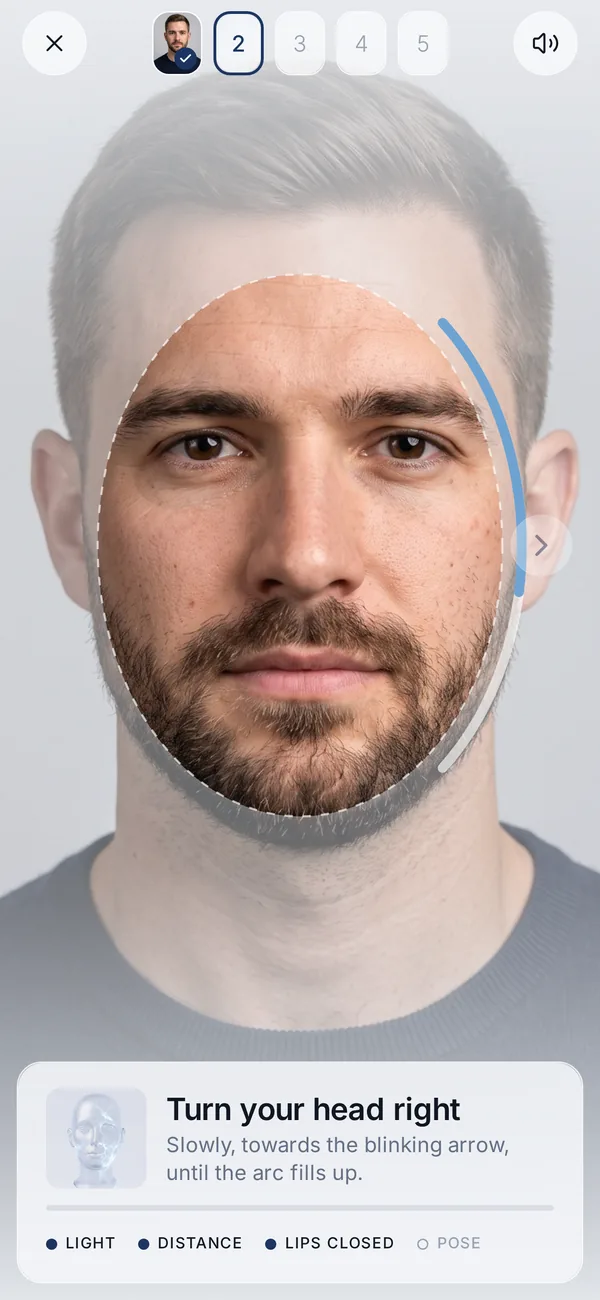
Scan your face
Five guided angles with the iPhone’s TrueDepth camera, about 40 seconds. Your face data stays on your iPhone.
- 2
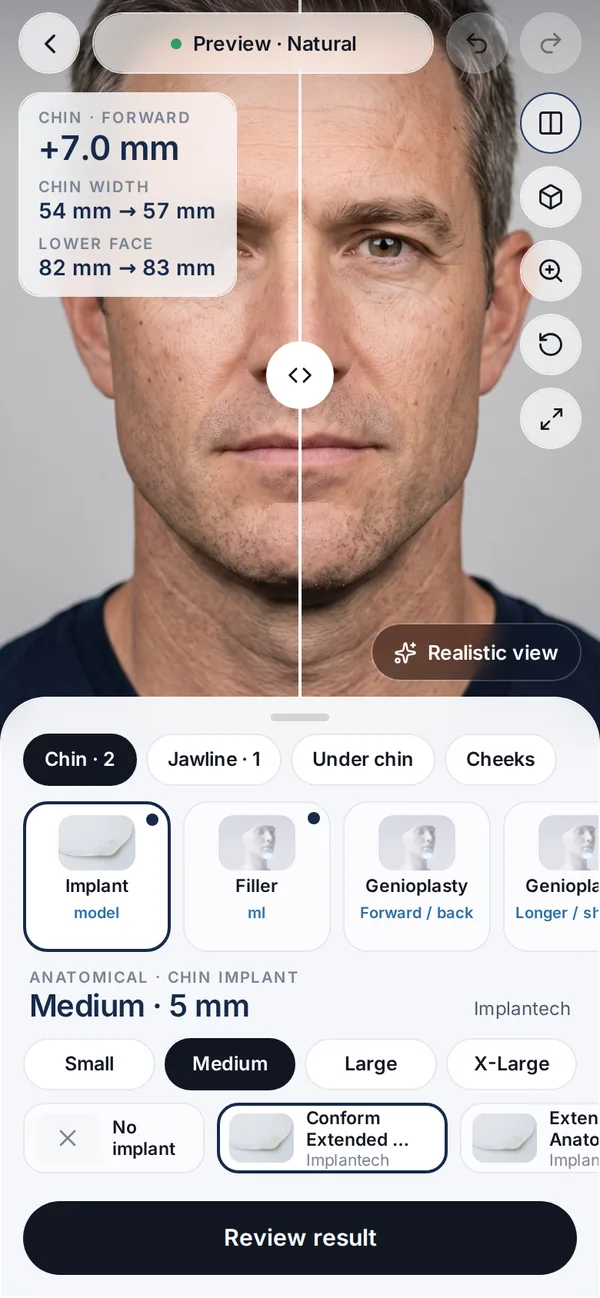
Set the treatment and the amount
In ml, mm, units or implant model and size. Only the area you choose changes.
- 3
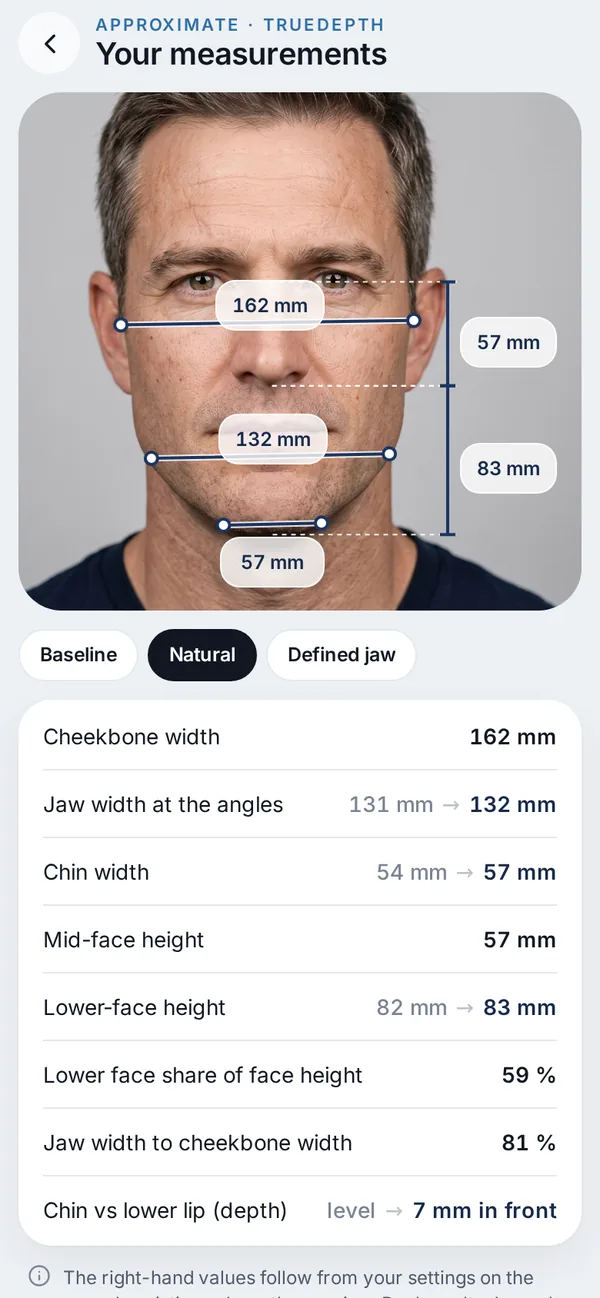
Compare, then talk to a clinician
Original and visualization side by side, with approximate millimetres — and an optional private link for your clinic.
Questions about genioplasty
How many millimetres can a genioplasty move the chin?
That is for a surgeon to assess. As context, a systematic review reported study averages between 6.2 and 11.7 mm of advancement (overall mean 8.2 mm). Veylo lets you try values so you can ask about them.
Genioplasty or chin implant — what is the difference?
An implant is placed on the chin bone; a sliding genioplasty moves the bone itself. Veylo can show both, plus filler, on the same scan. Which one, if any, suits you is a clinical decision.
Does Veylo show my result after surgery?
No. It shows an appearance visualization. It cannot predict how the soft tissue follows the bone, healing, swelling or the surgical outcome.
Can I visualize a shorter or longer chin?
Yes, the app also has a vertical setting. Published studies don’t give a verified typical range for it, so the app shows none.
Can I show the visualization to my surgeon?
Yes. A private, encrypted link opens in any browser, labelled as a patient-created visualization, with an expiry you choose.

Try treatments
before you book.
Free on iPhone with Face ID. No account needed to scan and edit.
Not ready for the beta? Get an email when Veylo launches.
A visualization, not a prediction.
Related treatments you can try in Veylo.
 ChinChin implantReal implant models and sizes from manufacturer catalogues.Read more
 ChinChin fillerHyaluronic acid filler in ml, with the chin-only preview.Read more
 JawlineJawline fillerFiller along the jaw in ml, measured as jaw width.Read more
 For clinicsVeylo for clinicsFor aesthetic clinicsRead more