 VEYLO
Midface, jawline & neck
Facelift and midface lift: try them on your own face
Set a facelift or a midface lift in millimetres per side, and the direction of the lift in degrees, on a 3D scan of your own face. Add threads, filler in the folds or fat grafting in the same plan, then talk it through with a qualified clinician.
Free to start · No account needed to scan · iPhone


Sample face generated by AI, changed by the Veylo engine. A visualization, not a prediction.
Lifts, threads and volume
A facelift is surgery that lifts the tissues of the lower face and neck; a midface lift lifts the cheek. Threads lift from under the skin without surgery. Filler can soften the nasolabial folds, the marionette lines and the groove in front of the jowl, and the body’s own fat can add volume in several zones.
Which approach, if any, how much and in which direction depend on your anatomy and a clinician’s assessment.
In Veylo a lift has an amount in millimetres per side and a direction — 0° is straight up, 60° is towards the ear. The jowl, the jawline and the neck follow the facelift by a share. Fat grafting is set per zone, with a retention share your clinician enters.
Every treatment in the app, with the amounts you can set.
Each treatment is set in real units, as in the app. Where a published study measured the change, its range is shown next to it — context, never a recommendation.
- Surgical
Facelift (lower face and neck)
Set in the app
Lift0–15 mm per sideDirection0–60° per side - Surgical
Midface lift
Set in the app
Lift0–10 mm per sideDirection0–60° per side - Minimally invasive
Midface threads
Set in the app
Threads0–6 threads per sideDirection0–60° per side - Non-surgical
Nasolabial filler
Set in the app
Volume0–1.5 ml per side - Non-surgical
Marionette filler
Set in the app
Volume0–1.5 ml per side - Non-surgical
Prejowl filler
Set in the app
Volume0–1.5 ml per side - Minimally invasive
Facial fat grafting
Set in the app
Temples0–6.5 ml per sideCheekbones0–8 ml per sideMid cheek0–8 ml per sideNasolabial folds0–4 ml per sideChin0–12 mlJawline0–8 ml per sideFat retention20–90 % - Non-surgical
Biostimulator
Set in the app
Sessions0–4 sessions
Published ranges show what studies measured. They are not a recommendation; your clinician decides what is appropriate.
What Veylo shows
- Your own face with a lift in mm and a direction in degrees
- Original and visualization side by side, on the photo and the 3D head
- Facelift, midface lift and threads next to each other on one face
- Filler in the folds and fat grafting, per zone
What only a clinician can tell you
- Whether surgery, threads, filler or fat is suitable for you
- How much lift, in which direction, and what it involves
- Scars, risks, side effects and recovery time
- How long a change usually lasts in your case
How it works, in 3 steps.
- 1
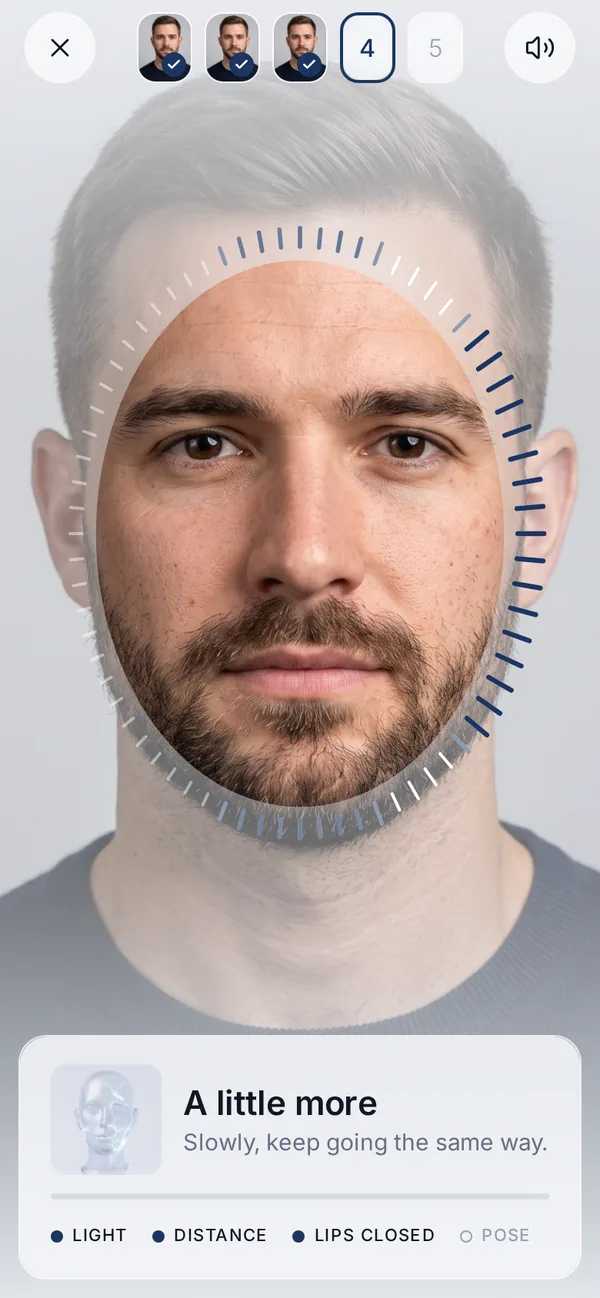
Scan your face
A guided 3D scan on video with the front camera, or by a helper with the rear camera, with voice guidance. Your face data stays on your iPhone.
- 2
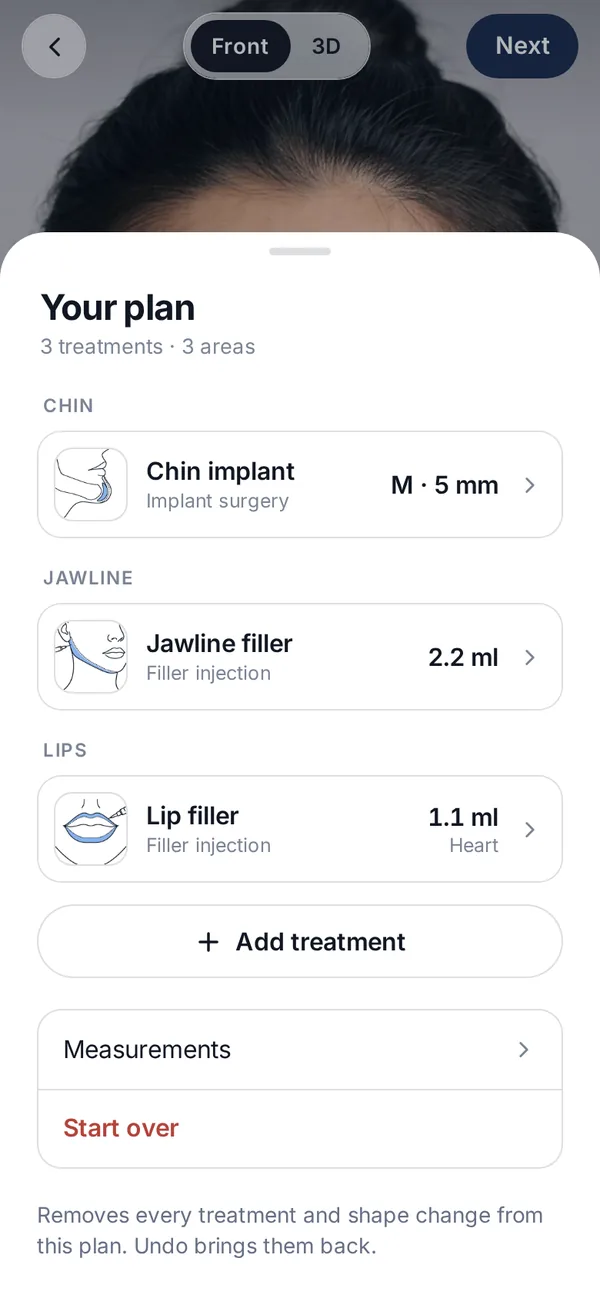
Set the treatment and the amount
In ml, mm, units, an implant model and size, or a style. Combine treatments in one plan; only the areas you choose change.
- 3
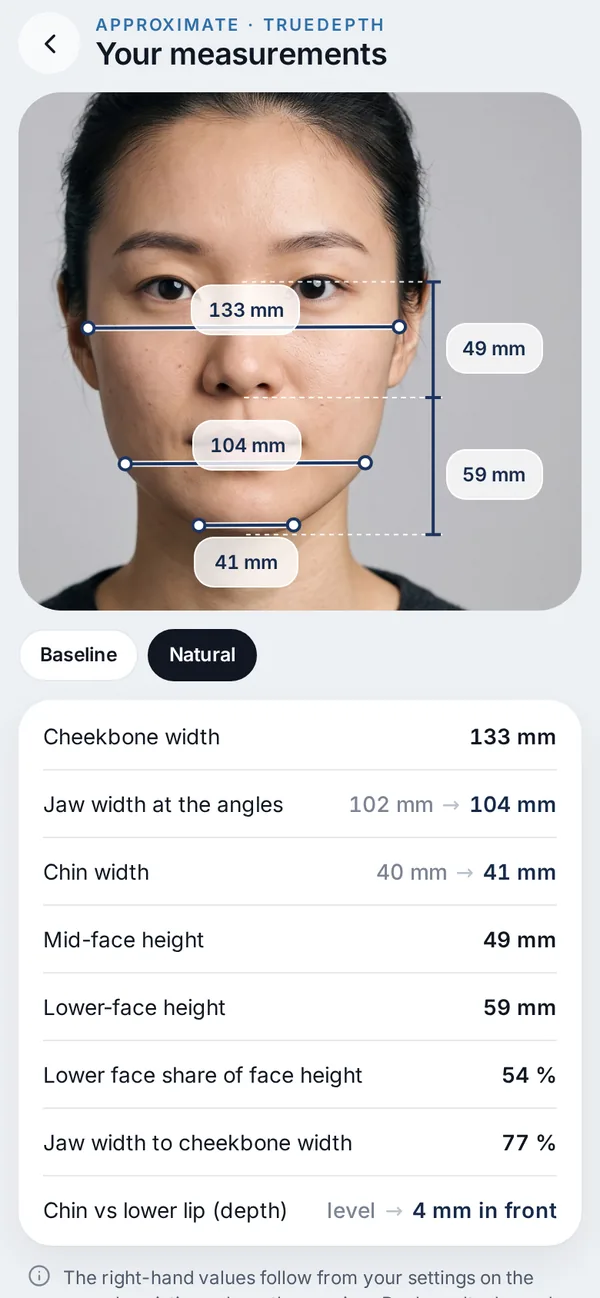
Compare, then talk to a clinician
Original and visualization side by side, with approximate millimetres — and an optional private link for your clinic, with your questions.
Questions about facelift & midface lift
What does the direction of a lift mean?
It is the angle the tissue moves along: 0° is straight up, 60° is towards the ear. You can try different directions on your own face and ask your clinician about them.
Can I compare a facelift with threads or filler?
Yes. Each is a separate treatment in the same plan, and variants let you keep them side by side on the same face.
Does Veylo show my result after a facelift?
No. It shows an appearance visualization once healing has settled. It cannot predict swelling, scars or how your tissue heals.
Can I show it to my clinic?
Yes, if you want, with a private, encrypted link that expires and that you can remove at any time.

Try treatments
before you book.
Free to start on iPhone. This area is part of the Face plan.
Not ready for the beta? Get an email when Veylo launches.
A visualization, not a prediction.
Related treatments you can try in Veylo.
 JawlineJawline fillerFiller along the jaw in ml, measured as jaw width.Read more
 Under the chinDouble chin treatmentsInjections, liposuction, neck lift and more, under the chin.Read more
 CheeksCheek filler & buccal fatCheek filler, buccal fat removal and cheek implants.Read more
 For clinicsVeylo for clinicsFor aesthetic clinicsRead more